Jetson deployment
Ran the project on Jetson Nano with the NVIDIA Linux stack, CUDA tools, OpenCV, and Python dependencies.
Embedded Linux | CUDA | Computer Vision
Ported a chaos-based video encryption workflow onto Jetson Nano Linux. The first app encrypts a video and creates a `.enc` output file, then a second app decrypts that file and plays the restored video.
Overview
The project moved a chaos-based image and video encryption concept into a Jetson Nano workflow. It runs as two clear Linux applications: one creates an encrypted `.enc` file, and the other decrypts that file for playback.
Ran the project on Jetson Nano with the NVIDIA Linux stack, CUDA tools, OpenCV, and Python dependencies.
Moved frame encryption work into CUDA-backed kernels through PyCUDA for GPU-side processing.
Captured tegrastats, cProfile output, and recorded CPU/GPU test runs to validate behavior on the device.
Architecture
OpenCV reads the source video, resizes frames for embedded testing, and prepares frame data for encryption.
Lorenz, Rossler, Henon, and Tent map outputs are used as the basis for frame-level encryption streams.
The encryption app processes the video frames and writes the encrypted output into a `.enc` file for later use.
A second application reads the `.enc` file, decrypts the frames, and plays the restored video while Linux telemetry is captured.
Embedded Linux Work
Prepared the Jetson Nano Linux environment with Python, OpenCV, NumPy, SciPy, PyCUDA, and CUDA tooling.
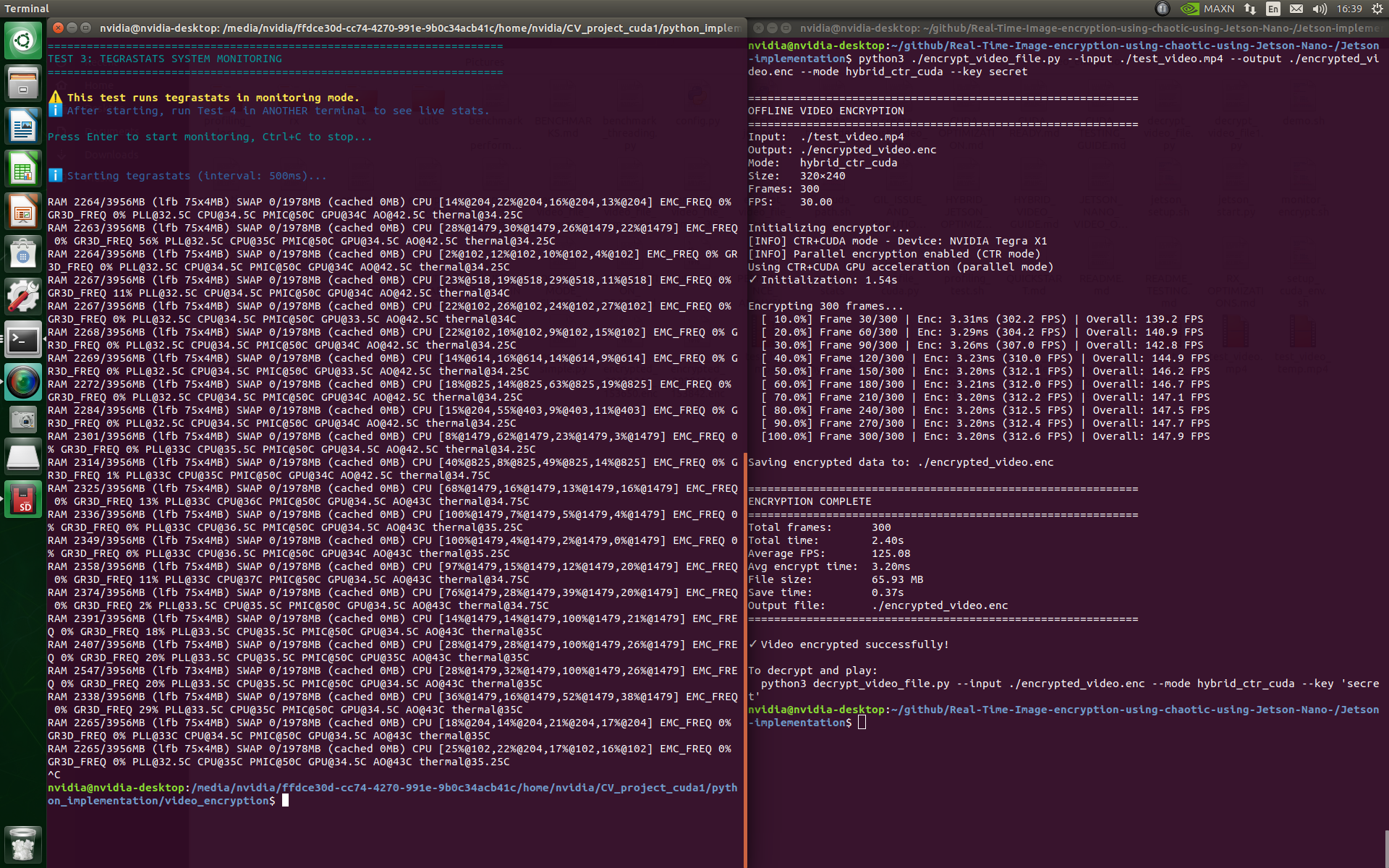
Used tegrastats to observe RAM, swap, CPU frequency, GPU load, and thermal state during encryption and decrypt-play runs.
Used cProfile and recorded benchmark runs to identify setup cost, frame-processing cost, and GPU execution behavior.
Jetson Nano workflow
  -> boot Jetson Linux
  -> install Python/OpenCV/CUDA dependencies
  -> run encryption app on source video
  -> write encrypted .enc output file
  -> run decrypt-and-play app on .enc file
  -> monitor with tegrastats
  -> profile with cProfile
  -> compare recorded benchmark runs
Evidence
GPU encryption run with Jetson resource monitoring visible beside the benchmark output.
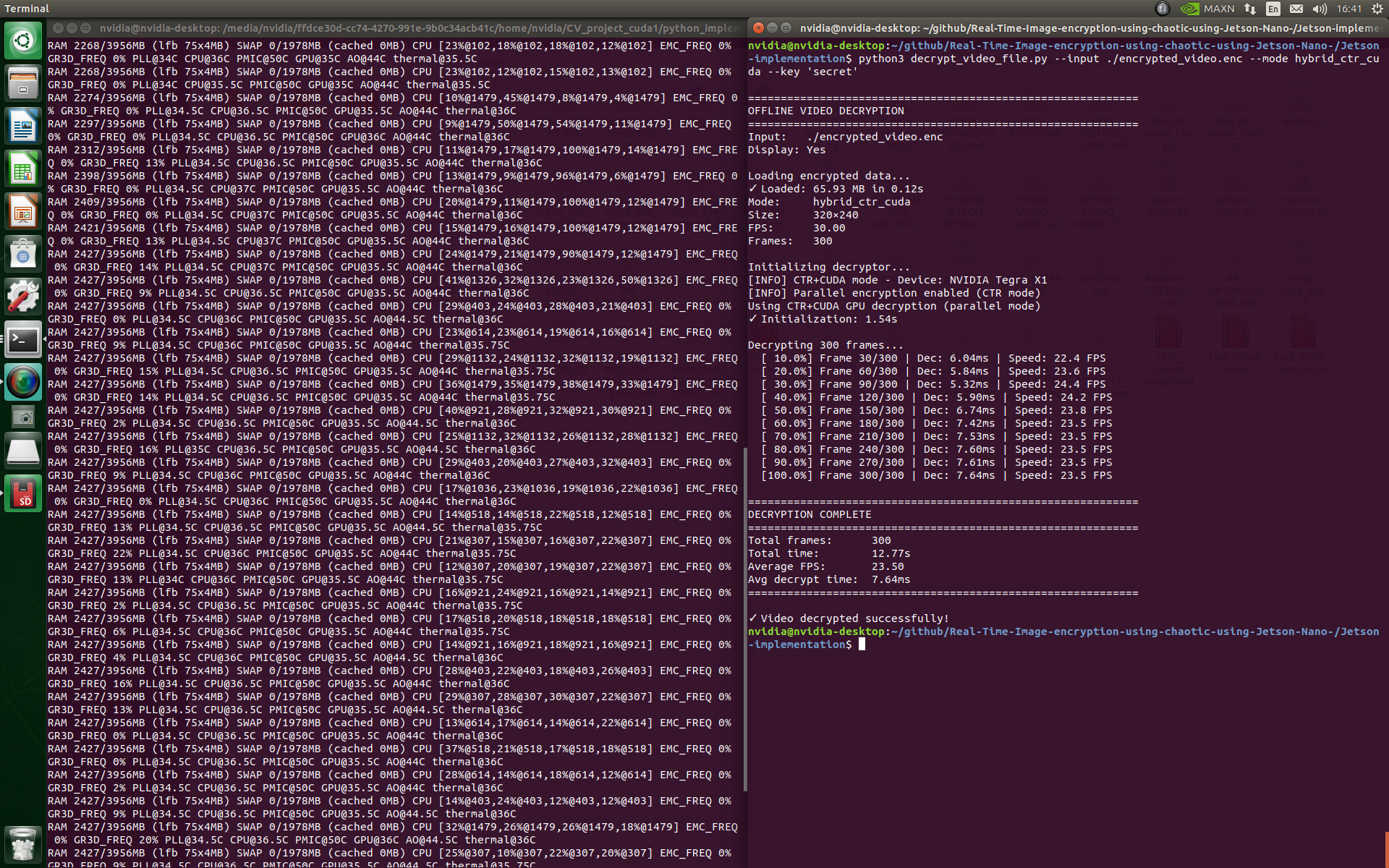
Decrypt-and-play run showing memory, CPU, GPU, and thermal behavior while restoring encrypted video data from the `.enc` file.
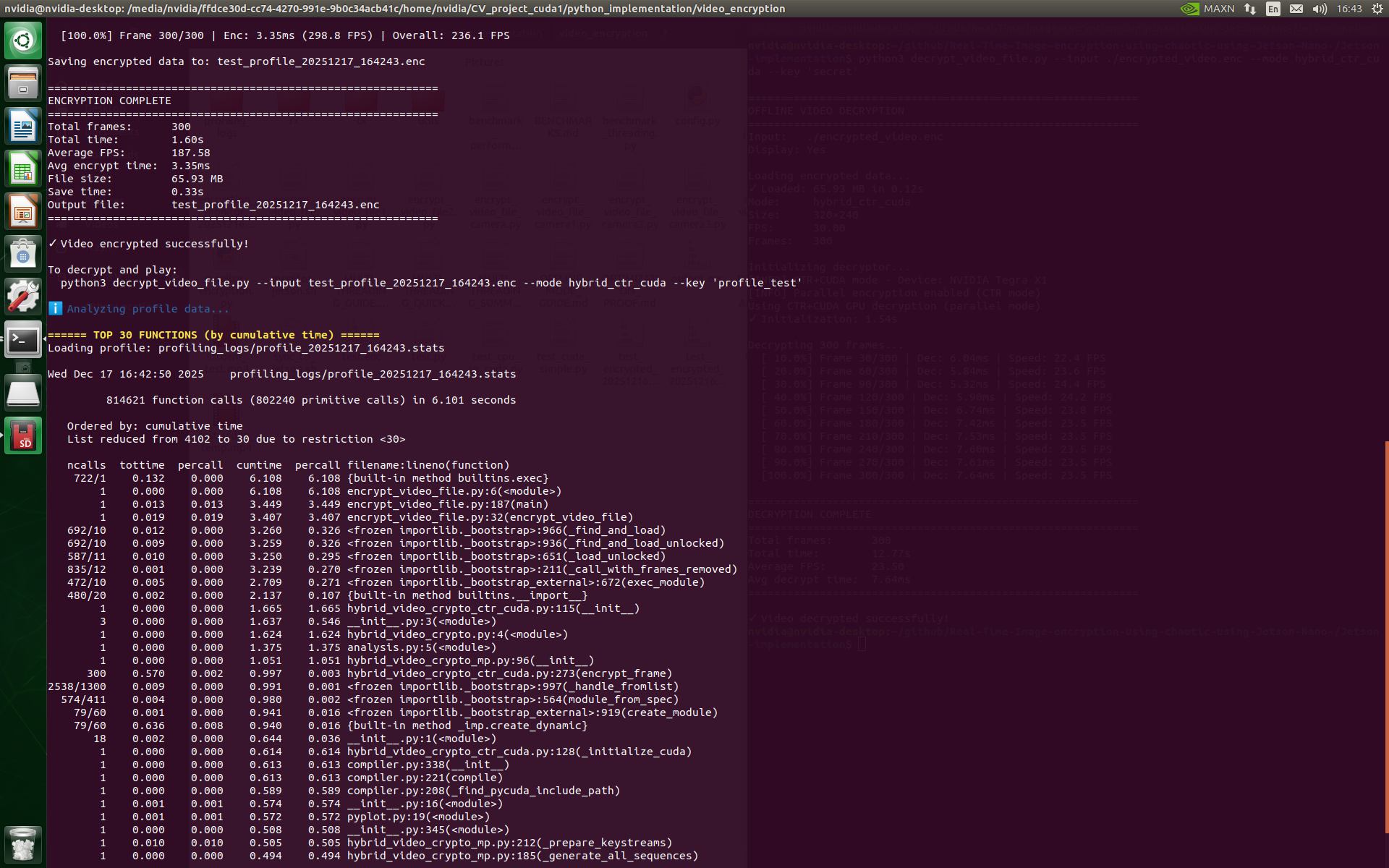
Function-level timing used to understand initialization, CUDA compile, and frame-processing cost.
Recorded benchmark evidence showing resource behavior during the accelerated run.
Video capture of the GPU workflow: encrypting the source video, then using a separate app for decryption and playback.
Recorded CPU-mode workflow used as the comparison point for GPU acceleration in the file-based process.
Things I Learned
I learned how important the board image, CUDA version, Python packages, and OpenCV installation are before performance work even starts.
I learned to use tegrastats as a practical Linux tool for checking whether GPU acceleration is really active during a workload.
I saw that moving frame data between CPU and GPU memory can affect performance as much as the encryption kernel itself.
I learned to watch CPU/GPU clocks and temperature because embedded benchmarks can change as the board heats up or changes frequency.
I learned to use cProfile and real benchmark logs before changing code, so optimization decisions are based on measured bottlenecks.
I learned to choose practical frame sizes, repeatable frame counts, and clear CPU/GPU modes so results make sense on limited hardware.
Outcome
The final result demonstrates a full path from algorithm porting to Jetson Nano deployment: video file input, encrypted `.enc` output, separate decrypt-and-play execution, CPU/GPU modes, resource monitoring, profiling, and recorded benchmark evidence from the target device.
Discuss a Project